 Solufile
Describe a diagram, chart or picture. Image Maker draws it for you.
Write what you need in a sentence or two, or attach a photo and say what to change. Choose the shape, the style and Speed or Quality; every picture is kept in your Library.
Free to start, no card needed. Sign-in asks only for your name and email.
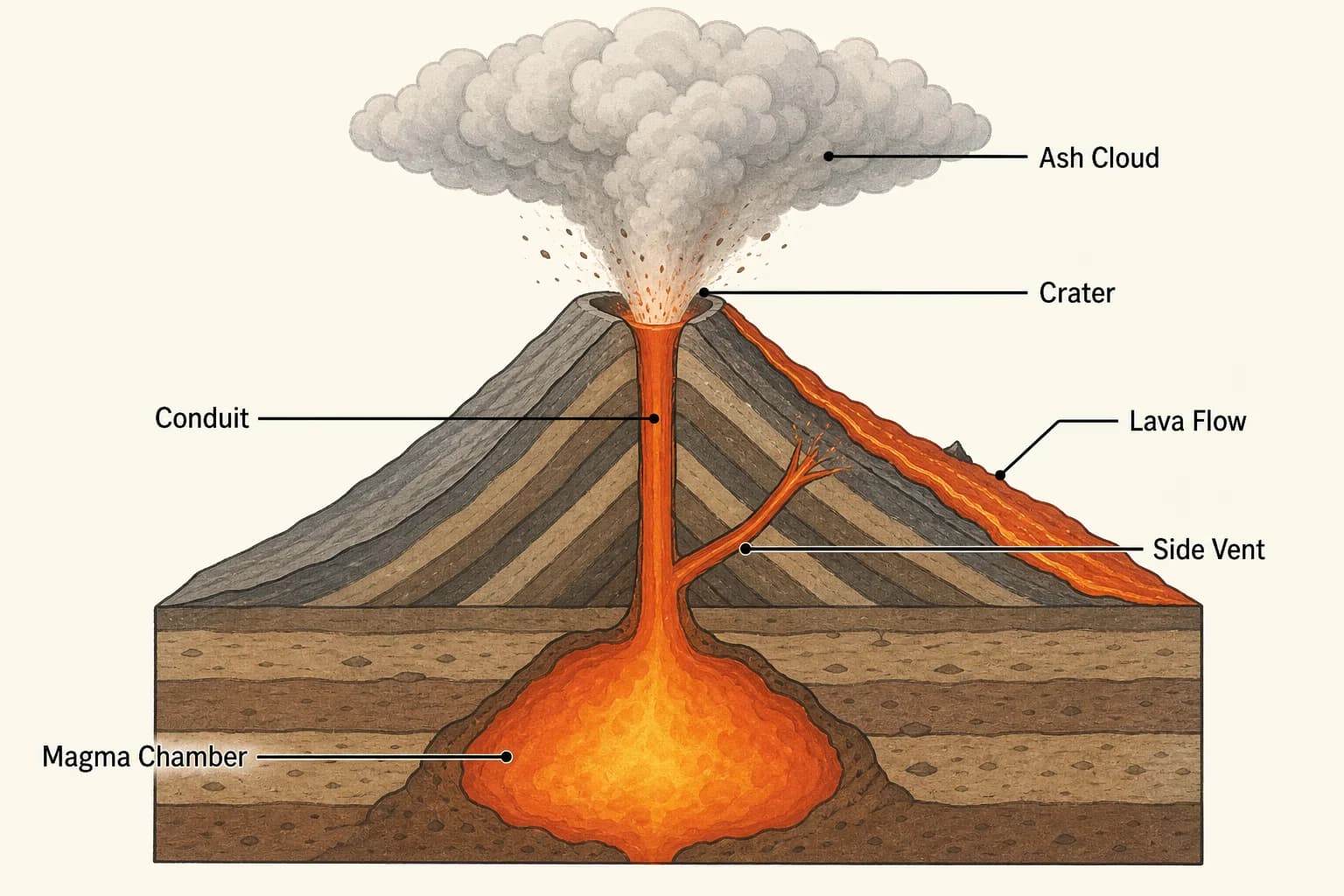
Example: a labelled diagram made from a short description.
From a sentence to a picture
Describe it
Write what you need, or start from one of the examples. To edit a photo, attach it and say what to change.
Choose the shape and the style
Square, landscape, portrait, wide or tall; Creative, or Infographic for labelled diagrams and charts; Speed or Quality.
Download, vary or keep editing
Download the picture, make a variation of it, or carry on editing it in the chat.
What Image Maker does
- You supply
- A description of up to 2,000 characters and, if you like, one photo to edit (PNG, JPEG, WebP or GIF, up to 20 MB).
- Models
- Quality with GPT Image 2, or Speed with Nano Banana 2.
- Shapes
- 1:1, 3:2, 2:3, 16:9 and 9:16 on Speed; 1:1, 3:2 and 2:3 on Quality.
- Styles
- Creative, or Infographic for labelled diagrams, charts and step-by-step explainers.
- Size
- 2K on Speed; 1024 to 1536 pixels on Quality.
- Afterwards
- Download, copy the prompt, make a variation or edit it in the chat. Every picture is kept in your Library.
Questions about Image Maker
Can it draw diagrams with labels?
Yes. Choose Infographic and say which labels you want; the examples include a labelled diagram to start from. Check the labels before you hand it in.
Can I edit my own photo?
Yes. Attach one photo (PNG, JPEG, WebP or GIF, up to 20 MB) and describe the change.
What is the difference between Speed and Quality?
Quality uses GPT Image 2 for the finest detail, in three shapes. Speed uses Nano Banana 2: faster, at 2K, in all five shapes.
Does it read my lecture notes?
No, it draws what you describe. To turn your notes into slides with pictures, use Slide Maker.
Is Image Maker free?
Yes, to start. Sign in with Google, no card needed. The free plan's monthly credits cover a few pictures, and paid plans add more.
Describe your first picture.
Free to start, no card needed. Sign-in asks only for your name and email.